
When you want to interact with users, sometimes simple dialog boxes are sufficient: a simple yes or no, or some info box. But in other cases, you may need more complex message boxes. Here I discuss how to use VCL Weld to create a custom one.
Simple Message Box
You can create a simple message box, using predefined templates like Info box using a code snippet like this:
std::unique_ptr<weld::MessageDialog> xInfoBox(Application::CreateMessageDialog(pParent, VclMessageType::Question, VclButtonsType::YesNo, u"Are you sure?"_ustr));
xInfoBox->run();
And, this is the result, which is very simple, without any title bar:
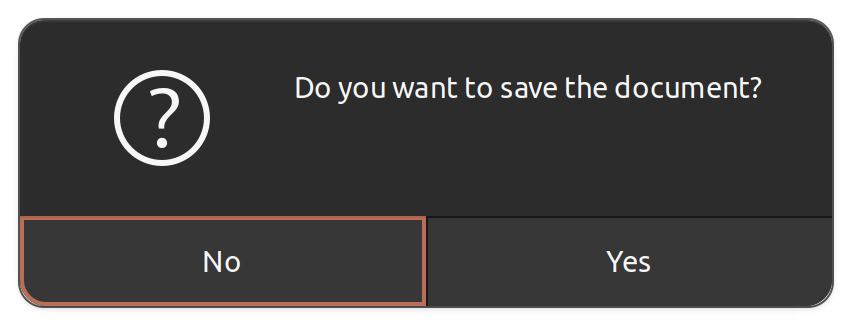
There are other predefined types, which can be used in different scenarios:
enum class VclMessageType
{
    Info,
    Warning,
    Question,
    Error,
    Other
};
But, if you want custom message boxes, you should be using weld mechanism, with its CreateBuilder function.
Custom Message Boxes
Below is the code from the source code sfx2/source/doc/QuerySaveDocument.cxx, which is inside sfx2 (framework) module. This dialog box is accessible across different modules, including Writer, Calc and Draw/Impress.
Let’s look into the code:
short ExecuteQuerySaveDocument(weld::Widget* _pParent, std::u16string_view _rTitle)
{
    ...
    std::unique_ptr<weld::Builder> xBuilder(
        Application::CreateBuilder(_pParent, u"sfx/ui/querysavedialog.ui"_ustr));
    std::unique_ptr<weld::MessageDialog> xQBox(
        xBuilder->weld_message_dialog(u"QuerySaveDialog"_ustr));
    xQBox->set_primary_text(xQBox->get_primary_text().replaceFirst("$(DOC)", _rTitle));
    return xQBox->run();
}
The code is using a UI file, named sfx/ui/querysavedialog.ui to create a message dialog, and then change the title of it.
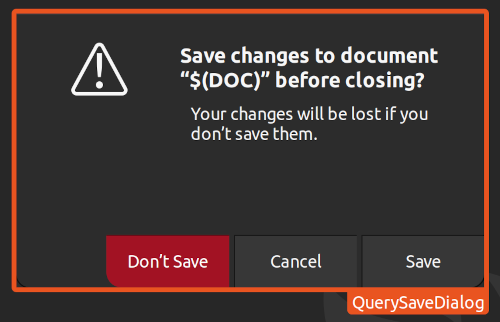
If you look into the include file, include/vcl/weld.hxx inside Builder class, you may see functions like weld_… that are suitable to find various different UI elements from the UI, by mentioning the element ID. For example, to find a label with the ID equal to lable_id, you do this:
std::unique_ptr<weld::Label> m_pTextLabel label = m_xBuilder->weld_label(u"label_id"_ustr)
Result
This is the result, when you try to close an unsaved document.
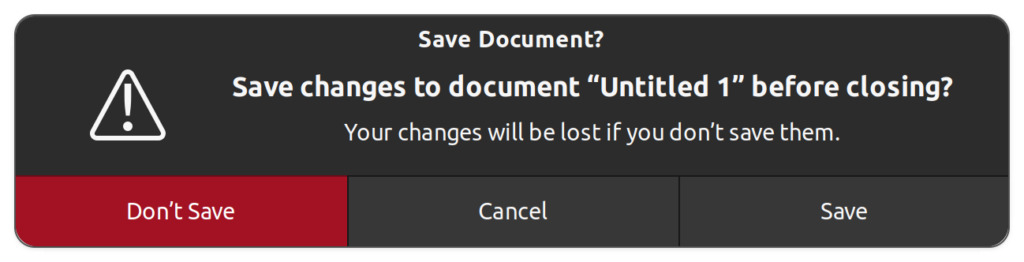
Alternative Ways
This is not the only way you can create nice dialog boxes using VCL weld mechanism. There are some predefined message boxes that look nice which use weld mechanism, and are available for use via relevant C++ classes.
An interesting one here, is the QueryDialog, which is created by a factory method design pattern.
It uses a predefined dialog, using cui/uiconfig/ui/querydialog.ui as the UI file, and it contains a nice stock image! You can test it easily, by modifying a LibreOffice example, minweld.
IMPL_LINK_NOARG(TipOfTheDayDialog, OnNextClick, weld::Button&, void)
{
    VclAbstractDialogFactory* pFact = VclAbstractDialogFactory::Create();
    auto pDlg = pFact->CreateQueryDialog(getDialog(), u"Tips"_ustr, u"Tip of the day"_ustr, u"Are you sure you want to see the next tip of the day?"_ustr, false);
    sal_Int32 nResult = pDlg->Execute();
    pDlg->disposeOnce();

    if(nResult == RET_YES)
    {
        ++m_nCounter;
        m_pTextLabel->set_label(u"Here you will see tip of the day #"_ustr
+ OUString::number(m_nCounter) + ".");
    }
}
Assuming that you have a working build of LibreOffice, you can simply run the minweld workbench by invoking:
./bin/run minweld
The result looks much more interesting:
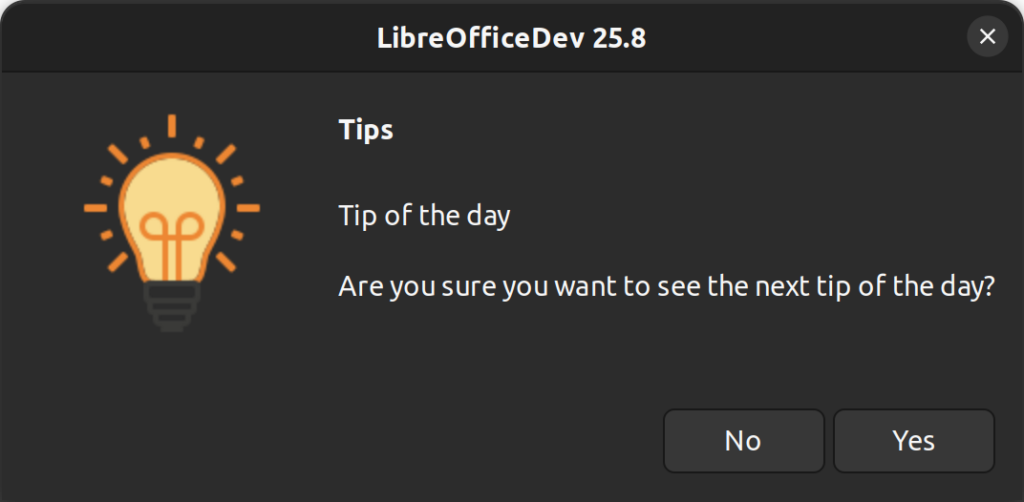
Final Words
The possibilities are endless! It only depends on your ideas and understanding of the user’s needs and requirements. It would be good if you look into what design team does to understand the design process: