
After submitting a patch to LibreOffice Gerrit, one has to wait for the continuous integration (CI) to build and test the changed source code to make sure that the build is OK and the tests pass successfully. Here we discuss the situation when one or more CI builds fail, and how to handle that.
Why Build and Test on CI?
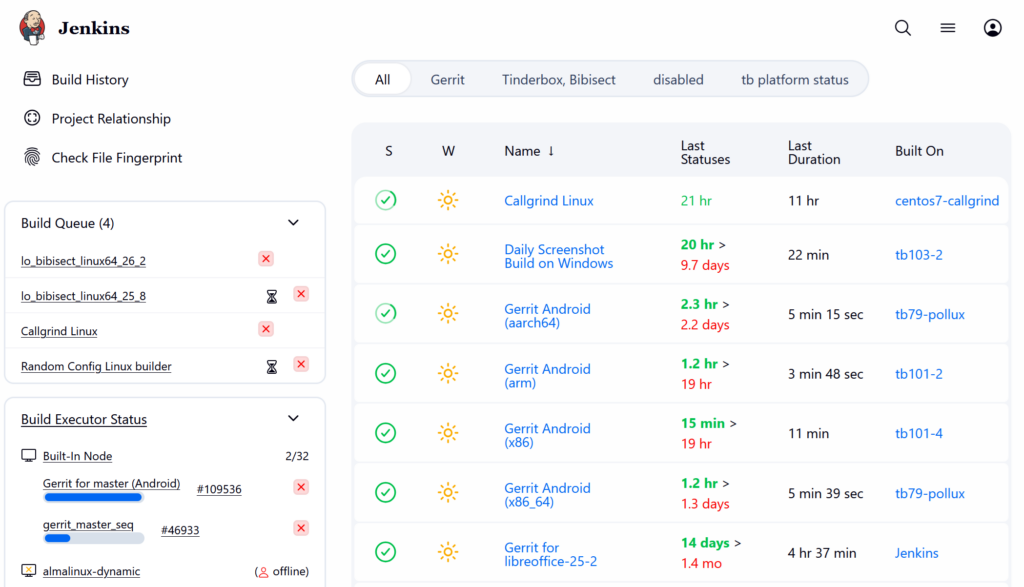
After you submit code to LibreOffice Gerrit, reviewers have to make sure that it builds, and the tests pass with the new source code. But, it is not possible for the reviewers to test the code on each and every platform that LibreOffice supports. Therefore, Jenkins CI does that job of building and testing LibreOffice on various platforms.
This can take a while, usually 1 hour or so, but sometimes can take longer than that. If everything is OK, then your submission will get Verified +1 .
CI Platforms for LibreOffice
Currently, these are the platforms used in CI:
- Linux / GCC:
gerrit_linux_gcc_release - Linux / Clang:
gerrit_linux_clang_dbgutil - Android Viewer:
gerrit_android_x86_64andgerrit_android_arm - Windows:
gerrit_windows_wsl - macOS:
gerrit_mac
Some of the tests are more extensive, for example Linux / Clang also performs additional code quality checks with clang compiler plugins. Also, UITests are not run on each and every platform.
Why Failures Happen and How to Fix?
There can be multiple reasons for why a CI build fails, and give your submission Verified -1 . These are some of the reasons, and depending on the reason, solution can be different.
1. Your code’s syntax is wrong and compile fails
In this case, you should fix your code, and then submit a new patch set. You have to wait again for a new CI build.
2. The code’s syntax is OK, but it is not properly formatted
You should refer to the below TDF Wiki article and use clang-format tool to format your code properly.
3. Your code’s syntax is OK, but it logically not OK and fails some tests.
In this case, you should try fixing your code logic, and run the tests that fail and make sure they pass. After that, you may send a new patch set and wait for a new CI build.
4. Your code’s syntax and logic is OK, but some machine fails for other reasons like their disk being full or other software/hardware failures or hiccups
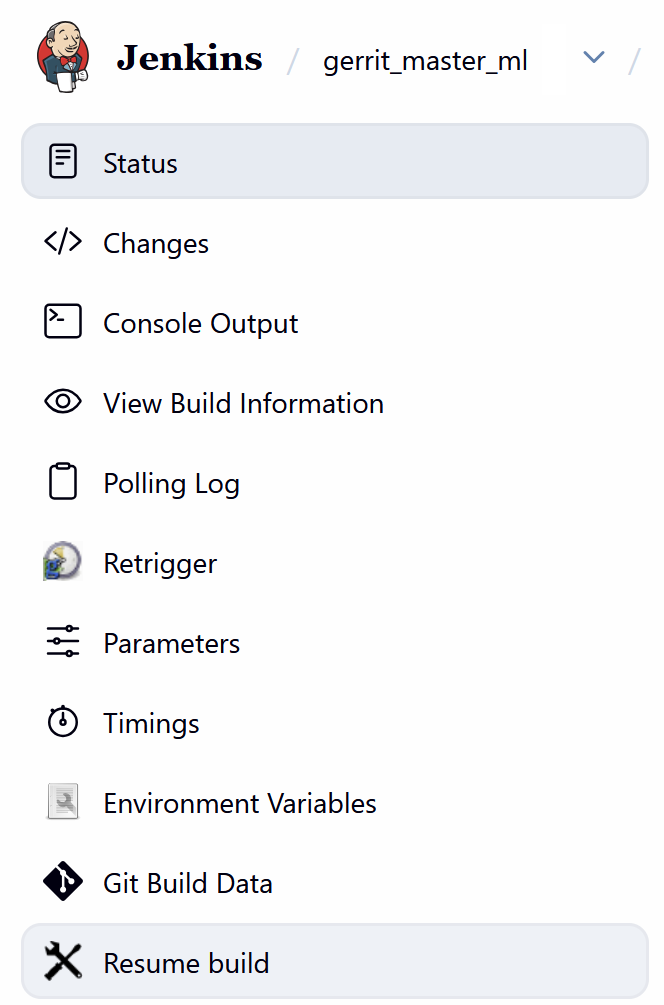
In this case, usually resuming the build can be a good option. You may ask on #libreoffice-dev or #tdf-infra IRC rooms for such a resume, or request access, if you submit many patches.
5. Your code’s syntax and logic is OK, but there are issues from other patches.
In this case, intervention from other LibreOffice developers is needed. Informing people on #libreoffice-dev can help, and then you have to re-base your submission in case new patches fix the build issue.
Final Notes
The best way to know the reason of the build failure is to look into the CI log files. Sometimes it needs more detailed look to understand the issue, but sometimes the reason is easily provided on Gerrit as a comment.
But, in the end your submission should have Verified +1 before it is suitable for merge in the LibreOffice code. This +1 as verified, does not guarantee that your patch will work as expected, but it is an important requirement.
